
CARE — Centre for Applied Research in Electronics, IIT DelhiAusculo

Ausculo: Designing Trust into Telemedicine

A UI/UX Case Study for Rural Healthcare in India

Rural MedTechLow-Resource Telemedicine UX
Ausculo digital stethoscope concept render

Summary

I led the UI/UX design for Ausculo, a digital stethoscope built to bridge the diagnostic access gap in rural India by supporting Community Health Officers and remote doctors. I designed the accompanying application to work in low-resource environments, streamlining communication and patient data sharing so that remote consultations can be trusted.

Product

  • iOS
  • Android
  • Web
  • Desktop

Team

  • Prof. Monika Aggarwal (CARE, IIT Delhi)
  • Prof. Mohammed Naim Shaikh (NID)
  • Nikhil Yogi, Abhishek Ranakoti & Saiyad Mohammad Afzal

Impact

  • Design direction validated by Dr. Sanjay Sood (eSanjeevani) and Dr. Desh Deepak (RML Hospital)
  • Steered engineering away from three unviable paths: an ASHA-operated device, a standalone AI diagnosis, a new telemedicine platform
  • Field research across 6 locations in Himachal Pradesh and 10+ stakeholder interviews
  • Published at HFES 2025; 40+ high-fidelity screens handed off

Context

What is telemedicine?

Many patients in rural India travel hundreds of kilometres for a basic consultation. Telemedicine is meant to close that distance. The government's eSanjeevani platform connects a rural patient to a doctor in a city.

Problem with telemedicine?

A call loses the physical examination, the step a doctor diagnoses much from. Without it, a teleconsultation is a conversation about symptoms. That is not enough for COPD, pneumonia, a heart murmur or an arrhythmia.

Why a digital stethoscope?

It records heart and lung sounds at the village end, so a doctor 200 kilometres away can listen to what they could not examine. Auscultation is one of the easiest ways to give a doctor basic information about the inside of the body, without being invasive.
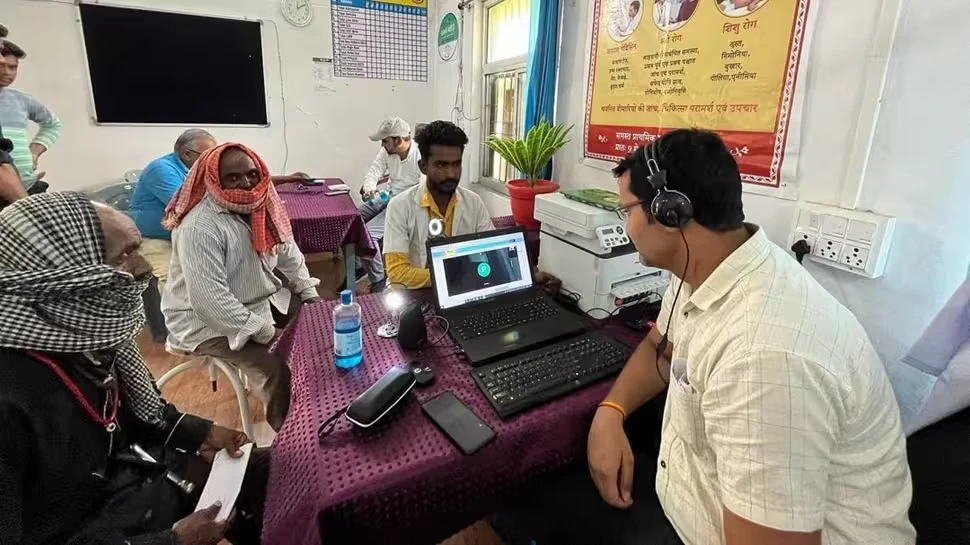
A teleconsultation at a health centre: a laptop showing a video call, a headset, and patients waiting around the table

How a doctor reaches a diagnosis

Medical historyPhysical examdoes not work over a callInspectionPalpationAuscultationThis is where Ausculo fits inDiagnostic testsDifferentialTreatment plan

The goal

Design a digital stethoscope and a supporting app that let a health worker record chest sounds and send them to a remote doctor for diagnosis.

What we'll track

How these targets were set

None of these has been measured yet, and there was no baseline to start from. The averages are published. The targets are our own.

Targets and what they are compared to

MetricOur targetWhat we compared it to
Diagnostic confidence4 out of 5No published pass mark. Our own 1 to 5 scale, set out below.
Task completion90% and upTypical software completes 78% of tasks. MeasuringU
Adoption intent4 out of 5No published pass mark. Our own 1 to 5 scale, set out below.
Usability (SUS)74 or aboveDigital health apps average 68 out of 100. JMIR mHealth · MeasuringU

The two 1 to 5 scales

Our own 1 to 5 scale

Diagnostic confidence

How confident are you diagnosing from what you heard and saw in the app?

  1. 1Not at all. I could not use it to diagnose.
  2. 2Slightly. It points me in a direction, but I would need to examine the patient.
  3. 3Moderately. It helps, but I would want more information before acting.
  4. 4Confident. I could act on it, with a quick check.Our target for the first MVP
  5. 5Very confident. I would act on it as I would after examining the patient myself.

Our own 1 to 5 scale

Adoption intent

How likely are you to use this in your work or study?

  1. 1Would not use it. It does not fit how I work.
  2. 2Unlikely. I can see a use, but I would not make the effort.
  3. 3Maybe. I might, if something changed.
  4. 4Likely. I would use it, and I can see where it fits.Our target for the first MVP
  5. 5Would use it now. I would start today, and recommend it to colleagues.

Published bands, with 78% the average

Task completion

The share of tasks a person finishes without help.

  1. Below 70%Clear problems. Usually a usability problem worth fixing.
  2. 70 to 79%Borderline. Room to improve.
  3. 80 to 89%Good. Still look at why people failed.
  4. 90% and upVery strong. Where the cost of a failure is high, aim for 100%.Our target for the first MVP

Published grades, with 68 the average

Usability (SUS)

A 10-question survey, scored out of 100.

  1. Below 68Below average. Worse than most software.
  2. About 68 to 73Average. A C on the usual curve.
  3. About 74 to 80Good. A B on the usual curve.Our target for the first MVP
  4. 81 and upExcellent. An A on the usual curve.

Every score comes with a reason. After each one we ask why: why not higher, and what would raise it. A 3 with a clear reason tells us more than a 4 with none.

Diagnostic confidence

Target: 4 out of 5

Task completion

Target: 90% and up

Adoption intent

Target: 4 out of 5

Usability (SUS)

Target: 74 or above

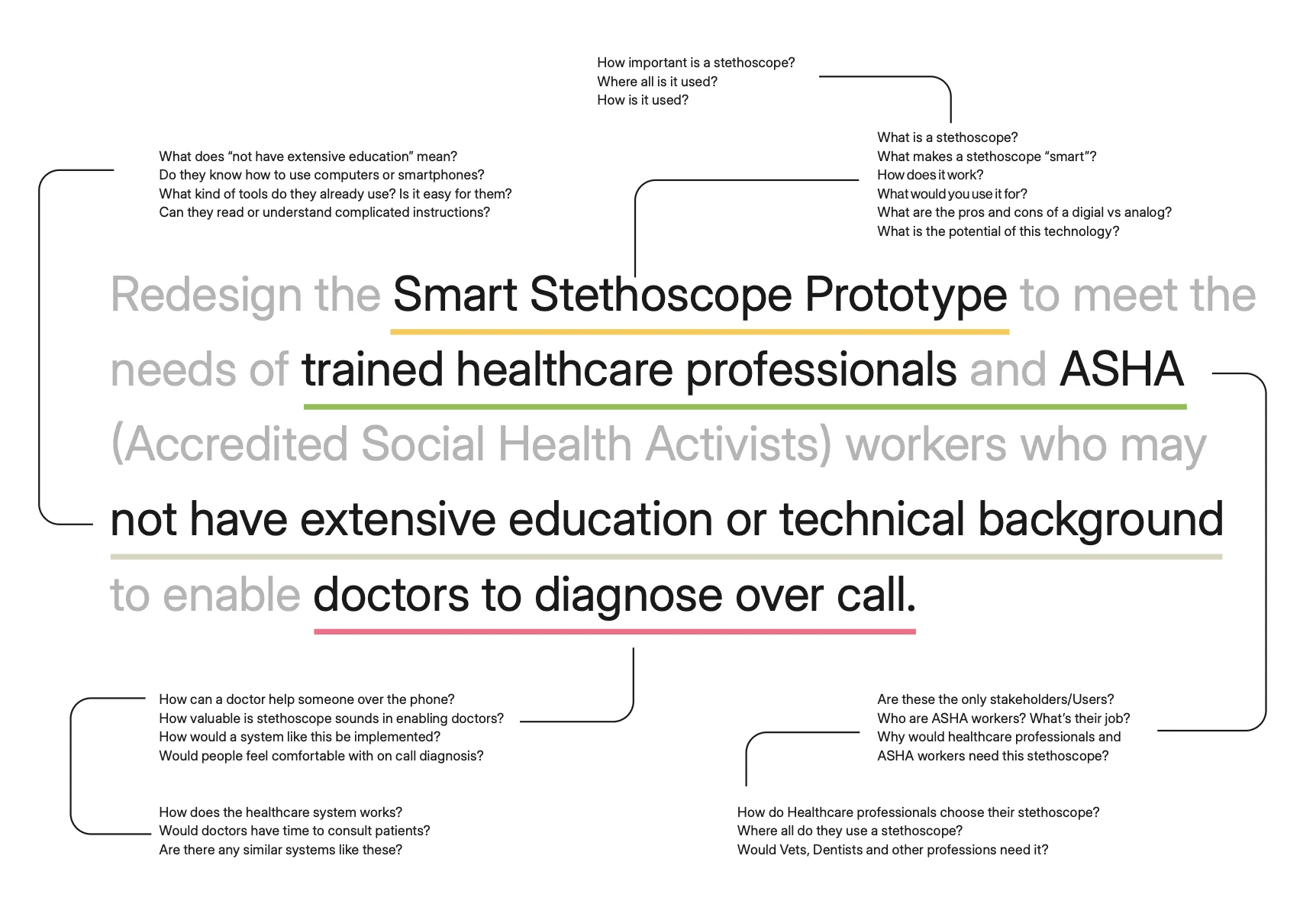
Ripping the brief

What I was given

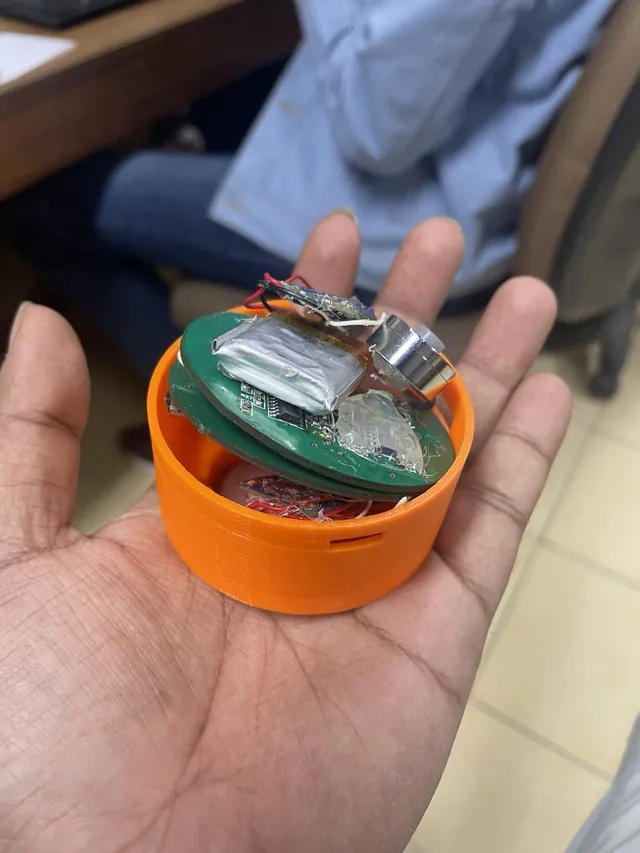
CARE, IIT Delhi gave me a working hardware prototype and a one-line brief. It was the device only: a printed housing, two circuit boards, two piezoelectric sensors, a battery and a DAC board. There was no application at all.

What I did with it

I broke the brief apart and highlighted every assumption in it. Each highlighted phrase hid questions, and I sorted them into three areas: the stethoscope, telemedicine, and the people it was for.
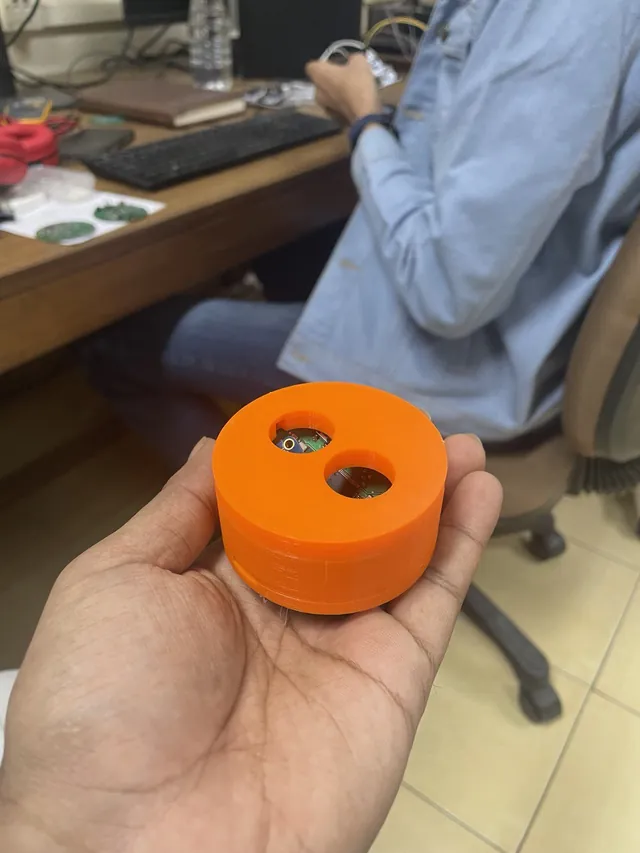
  • The CARE prototype as I received it: an orange 3D-printed housing with two round openings
  • The prototype opened, showing two circuit boards, a battery and the sensors
The brief, Redesign the Smart Stethoscope Prototype to meet the needs of trained healthcare professionals and ASHA workers who may not have extensive education or technical background to enable doctors to diagnose over call, with each highlighted phrase branching into the questions it raised

Research

Secondary research

Desk research on the three areas the brief raised: the stethoscope, telemedicine, and the people. I then narrowed the brief: what the stethoscope would cost, and whether to design for students and doctors too.

The stethoscope

Doctors were not the ones buying them.

What it changed: cost, battery and noise were what stopped people, not features. The device had to be affordable and trusted, and earn its place against brand loyalty.

Shop reviews were generic. The useful ones were on Reddit, Twitter, LinkedIn and YouTube, where clinicians and students talk openly.

What people praised

  • Noise cancelling, for vets and military medics
  • A link to hearing aids
  • Recording sounds for teaching
  • Reusable AAA batteries
  • Trust in the Littmann name

What put them off

  • Cost, above all for students
  • Battery drain, even from switching on in a pocket
  • Background noise that is hard to filter
  • A sense that the tech is unnecessary

Who buys: people with a hearing disability, students who want to record, hobbyists, and anyone drawn to AI tools, seeing the sounds, or wireless earphones. Who doesn’t: those put off by price or battery.

What they cost

  • Ausculo (target)₹6,000 to ₹10,000
  • AyuLynk₹12,500
  • Littmann CORE₹27,543
  • Eko CORE 500₹33,403
  • AyuSynk 2Pro₹34,990
  • Thinklabs₹58,990

Telemedicine

Healthcare by call is old. What it misses is not.

What it changed: the objection to telemedicine, that a doctor cannot hear or feel what is wrong, is exactly what a digital stethoscope can answer. That is where this project sits.

  1. 1876

    Bell’s telephone

    The first call for help

  2. Radio era

    Radio to ships

    Medical advice at sea

  3. 1960s

    NASA telemetry

    The first telemedicine clinic

  4. 2020

    COVID-19

    Care by call becomes routine

What people say it does well

  • Eases the load on hospitals
  • Spares very sick patients the journey
  • Saves cost
  • Reaches rural areas

What people say it misses

  • Subtle signs found by touch or listening
  • Face-to-face contact
  • Software and training barriers in rural areas

The people

None of the three is trained to listen to a chest.

What it showed: ASHAs, ANMs and Anganwadi workers each have a clear role, and diagnosis by listening is not part of any of them.

ASHA

A woman from the village, 25 to 45, chosen by her community. Maternal and child health, TB, sanitation, first aid.

Auscultation is not part of basic training.

ANM

Formally trained nurse-midwife who runs a sub-centre and supervises ASHAs. Thermometer, MUAC tape, BP, scales.

Stethoscope mostly for blood pressure. Refers anything complex.

Anganwadi worker

Runs nutrition and pre-school for the child development scheme. 32 days of training, then 7 days every two years.

Not a diagnosis role.

Where each one sits

  • District hospital · about 2 million people
  • Community health centre · 80,000 to 120,000
  • Primary health centre · 3,000 to 30,000
  • Sub-centre, run by an ANM · 3,000 to 5,000
  • ASHA · 300 to 1,000

Primary research

The secondary research left some questions unanswered, and there was far more of it than I could cover in the time. I reached out to people who could help me focus. It was still discovery: I was not asking specific questions, just trying to see what I was dealing with.
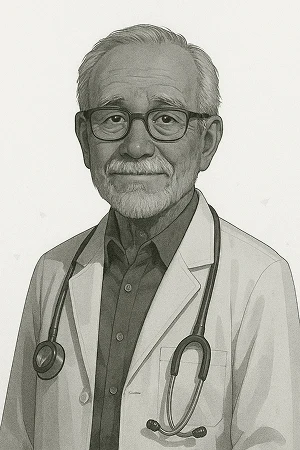
  • Illustrated portrait: Doctors

    Doctors

    Loyal to their analog stethoscope; one owned a Littmann CORE and rarely used it. The barrier was habit, not features.
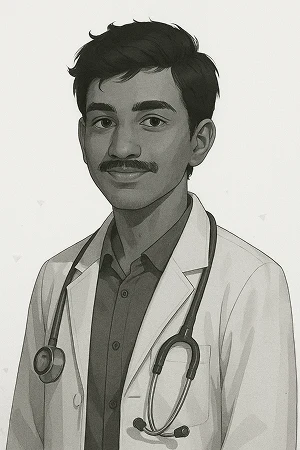
  • Illustrated portrait: Medical students

    Medical students

    Learning sounds from YouTube on ₹1,200 to ₹2,000 models. The most receptive group: recording, slow playback and sharing with seniors all had immediate value.
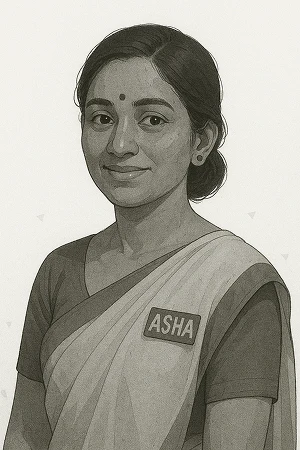
  • Illustrated portrait: ASHA workers

    ASHA workers

    Their method is symptom recognition and referral, not listening. Many did not own a smartphone before the pandemic.

  • Illustrated portrait: Telemedicine companies

    Telemedicine companies

    I reached out to six, looking for a platform to plug into. None replied.

Gaps in the brief?

Critical problem

The brief was wrong about its users. ASHA workers did not have the training, and they were not part of a system that could fill these gaps. With no system in place, I also did not know who would be diagnosing: which doctor would it be? The brief had become about redesigning a stethoscope for the sake of it. Nobody I spoke to could fill in these blanks.

Redesign the Smart Stethoscope Prototype for 1, connected to 2, so that 3 can diagnose over call.

  1. 1Who is the user? Was: ASHAs, ANMs and Anganwadi workers
  2. 2Which system does it plug into? Nobody I spoke to could name one
  3. 3Who is listening on the other end? Not even the doctor who suggested the idea could say

The only thing that made sense was four use cases that Dr. Desh Deepak helped me formulate.

  • Screening

    ASHA workers checking many people at once for COVID or other problems.

  • Diagnosis

    Doctors and students using it themselves, with AI to help with accuracy.

  • Education

    Students using the recordings to improve their skill.

  • Monitoring

    A home telemedicine kit, so fewer visits to a doctor are needed.

Reframe

  1. 1The blanks
  2. 2Four strategies
  3. 3The reply
  4. 4The new brief

The question

The research left three blanks. I tried to fill them myself.

  • Who is the user?
  • What does it plug into?
  • Who diagnoses on the other end?

Four strategies before I got the answer

StrategyWho is the user?What does it plug into?Who diagnoses?How it ended

Design for ASHA workers anyway

Design for ASHA workers anyway

What I tried: The brief named them, and they were the most constrained user in the scenario: little technical background, a basic kit, no clinical training in auscultation. If the design worked for them, it would work for anyone more trained.

How it ended: No system existed where ASHAs were in use, and nobody I asked could name one. There was nothing to plug into.

ASHA workersNothing. No system existed where ASHAs were in use.A doctor, or AINothing to plug into.

AI inside the stethoscope

AI inside the stethoscope

What I tried: Place, listen, send: the device produces the diagnosis, so an untrained user and no doctor on the line would be enough.

How it ended: In India an AI diagnostic tool needs rigorous clinical validation and regulatory approval, and the liability of a misdiagnosis made it unfeasible in the project’s timeline.

Anyone, even untrainedNothing. The device stands alone.The AI, with no doctor on the lineNeeds clinical validation and approval, with misdiagnosis liability.

A telemedicine kit for the home

A telemedicine kit for the home

What I tried: If everyone had a cheap kit at home, they would not need to rely on an ASHA worker. They could take the readings themselves and send the recordings to the doctor, who would get objective information to diagnose from. I proposed it to the seniors.

How it ended: It needed everyone to own a kit, which would be expensive and not feasible, and the seniors did not want to focus on it.

Patients themselvesNot worked outA doctor, from the recordingsEvery home needs a kit. Too expensive.

A custom platform connecting ASHAs with doctors

ASHA workers, patients, and doctors and studentsMy own platform. I would build it.A doctor, or AIThe one I went forward with.
ScreeningDiagnosisLearningPatientsget screenedASHA workerrecords many peopleMy platformrecords and sharesAI built inDoctorlistens and diagnosesStudentslearn, chat, share

The reply that changed the brief

Then the Project Director of eSanjeevani replied. He had everything I was looking for, and he answered all three blanks.

The original brief grouped ASHAs, ANMs, and CHOs together. Research showed ASHAs lacked auscultation training. ANMs tested very well and were highly capable, but were already overburdened with maternal/infant care duties. We pivoted the product exclusively to CHOs (Community Health Officers) because they are the designated operators of the eSanjeevani telemedicine network at Health & Wellness Centres.

Screening did not disappear either. CHOs already run camps where many people come and everyone is tested.

  • The user: CHOs and MLHPs. Not ASHA workers.

    Hub and spoke, and who a CHO is

    Who a CHO is

    • A formal nursing or AYUSH degree
    • Six months of training
    • Basic auscultation skills
    • Access to the eSanjeevani portal
    • The formal bridge between rural patients and hub hospitals

    User

    Brief said: ASHA worker, a community volunteer

    Reframed: CHO, a semi-skilled professional

    Auscultation

    Brief said: Not in their training

    Reframed: Basic skills

    Digital

    Brief said: Many had no smartphone before the pandemic

    Reframed: Has access to the portal

  • The system: eSanjeevani. What I was trying to invent already existed.

    One consultation, step by step

    1. 1

      Log in

    2. 2

      Add the patient

    3. 3

      Create the case

    4. 4

      Enter symptoms

    5. 5

      Examine with connected devices

      Ausculo plugs in here

    6. 6

      Connect to a hub doctor

    Devices already integrated: ALLOTRICORDER, AABO X6, SCANVO, AyuSynk, Taal, ReMeDi Kit.

  • The listener: A doctor at a hub hospital.
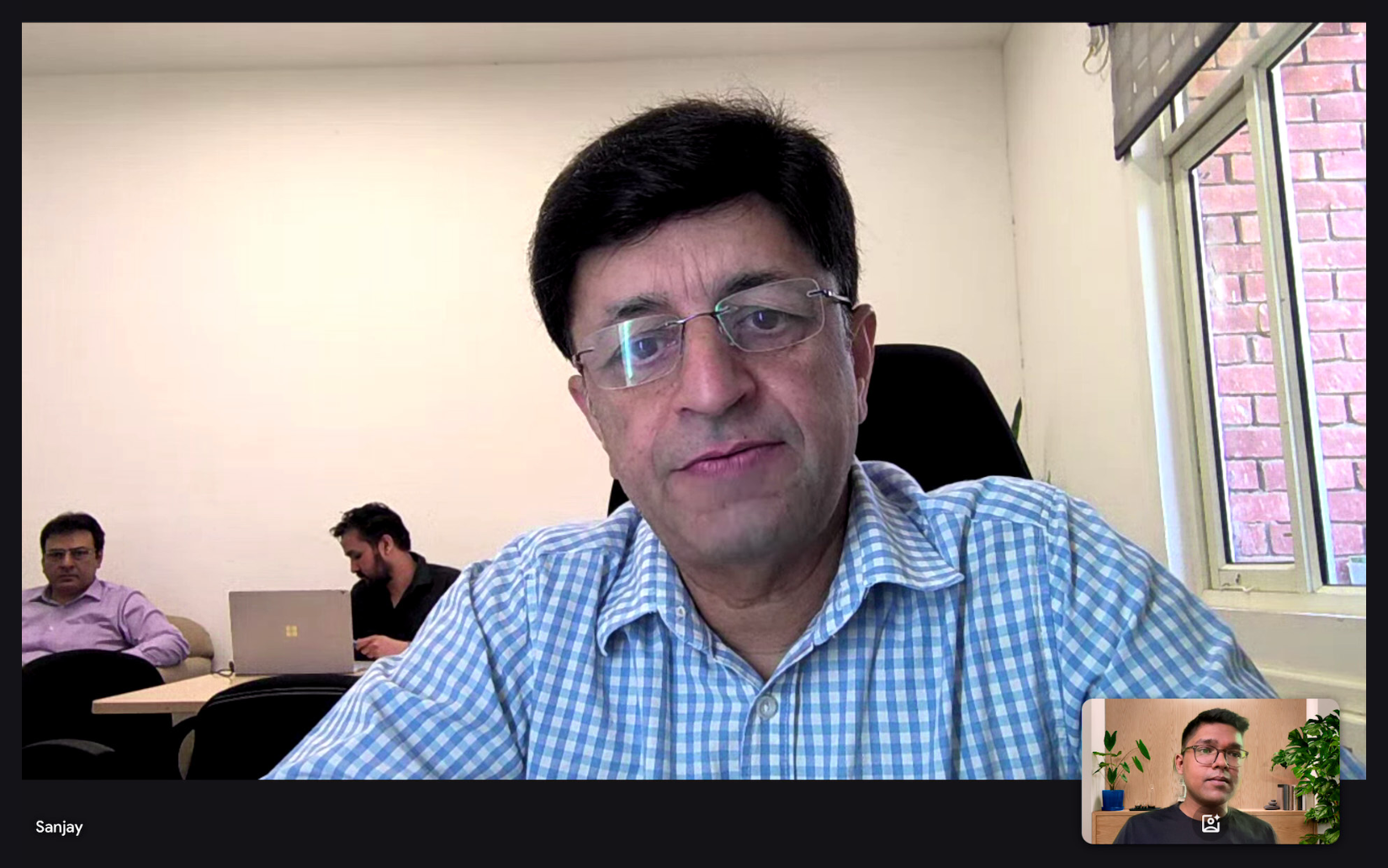
eSanjeevani telemedicine platform interface study
Screeningusesplugs in directlyDiagnosispairs withLearningReviewsCHOs only work inside eSanjeevani.The app is not for them.Patientsget screenedCHO or MLHPat the Wellness CentreAusculothe stethoscopeeSanjeevanithe platformHub doctordiagnosesAusculo appfor studentsand doctorsStudentslearnDoctorsreview

The old brief

Redesign the Smart Stethoscope Prototype to meet the needs of trained healthcare professionals and ASHA workers who may not have extensive education or technical background to enable doctors to diagnose over call.

The new brief

Redesign the Smart Stethoscope Prototype for CHOs and MLHPs, connected to eSanjeevani, so that a hub doctor can diagnose over call.

What changed

  • Who is the user?

    CHOs and MLHPs

  • What does it plug into?

    eSanjeevani

  • Who diagnoses?

    A hub doctor

  • Who else?

    Students, for long-term adoption

Research 2.0

With the user and the system clear, I went back to research. This time I wanted to learn what a stethoscope helps a doctor hear, what already exists, how it is built, and how other apps in this space work.

  • Disease fundamentals

    What clinicians listen for. Respiratory, cardiac, gastrointestinal, obstetric and vascular sounds. A single-lead ECG would not add enough for rural use, and point-of-care ultrasound costs $3,000 to $5,000 and needs significant training, so the digital stethoscope stayed the most accessible first-line tool.

    The fundamentals taught me what doctors are trying to hear and where auscultation gets difficult. I could see much sooner where doctors actually struggled in the interviews, and talk to them in their own terms.

  • Existing solutions

    The solution landscape: digital stethoscopes and related devices from around the world, gathered to see what exists and which controls they showed.

  • Anatomy of a stethoscope

    I studied how head curvature, diaphragms, bells, pressure and materials change what a stethoscope picks up. That mostly informed the hardware, but the same vocabulary shaped features in the app.

    Bell and diaphragm. On a traditional stethoscope the bell helps with low-frequency sounds and the diaphragm with high. With an electronic sensor, a filter band can switch between the two and emulate the design doctors already know.

  • Competitive analysis

    • Eko app. Clean main screen with phonocardiogram and BPM. Recordings are tagged by body position.
    • Eko Academy. Duolingo-style progression, but lessons play like a slideshow.
    • Littmann Learning. Audio with waveforms and a pre-assessment, with much of it behind a paywall.

    What I took from them:

    • Body-diagram position tagging.
    • Gamified learning, rather than slideshow lessons.
    • Objective overlays (BPM, waveform, frequency) to build doctor confidence.
    • Slow playback, which students and doctors both valued.
    • Keep the controls simple. The other digital stethoscopes showed how little they needed.

Ideation

What should the app do, and for whom?

  1. 01

    Prioritise the features

    We decided which features we want to prioritise.

    Prioritise the features

    Before any screens, I drew the whole system: who has to talk to whom. Two interactions were in scope. The main one is between doctors and CHOs, MLHPs or patients, through eSanjeevani. The other is between students and doctors, which was not the priority but was worth exploring. Clinical AI, research use, patients using it directly with AI, and far-off users were set aside. ASHAs were taken out of scope once research showed they lack auscultation training; they stay a later idea. Later ideas, like other sensors and other platforms, sit dashed at the edges.

    Who the Ausculo app is for, and what was set asideTwo interactions are in scope: students and doctors, and doctors and CHOs or MLHPs, or patients, through eSanjeevani. Later ideas are dashed and set-aside ideas are faded.StudentsDoctors12teach, askthrough eSanjeevaniClinical AIResearch doctorsApps like DocOnPrintable reportseSanjeevaniABDM: HPID, ABHAMLHP, CHOASHA, ANM, AnganwadiPatientsAusculo stethoscope and appPatients with AI,no clinicianLater, in the same deviceThermometerECGOximeterUltrasoundFar-off: astronauts, oceans, wildlife rangers, mountain climbers, Arctic researchersIn the first MVPLaterSet asideAn interaction

    From that map, each interaction got its own list of what it has to do, and a third list for what runs across both. Solid chips are in the first MVP, dashed ones wait, and the faded one I set aside on purpose.

    1Students and doctorsTeach, ask

    • Play to speakers, earphones or hearing aids (In the first MVP)
    • Share a recording by link (In the first MVP)
    • A basic Academy overview (In the first MVP)
    • AI tutor (In the first MVP)
    • Notes (In the first MVP)
    • Anti-theft: track my device (Later)
    • Slow playback (Later)
    • Ask a senior (Later)
    • A learning community (Later)
    • Learning in the same app or a separate one (Later)

    2Doctors and CHOs, MLHPs, patientsThrough eSanjeevani

    • Go live consultation with the doctor (In the first MVP)
    • Doctor picks the site, CHO taps it (In the first MVP)
    • Mode slider with live BPM, breaths or fetal heart rate (In the first MVP)
    • Record, then assign to a patient and a position (In the first MVP)
    • AI analysis that makes a report you can question (In the first MVP)
    • Doctor's note and referral (In the first MVP)
    • Patient list, add by hand or from ABHA (In the first MVP)
    • Link an ABDM ID (HPID) (In the first MVP)
    • Open Ausculo inside eSanjeevani (Later)
    • Pressure and pain rating for palpation (Later)
    • Printable auscultation reports (Later)
    • Patient-management apps like DocOn (Later)

    Across bothAccessibility and the device

    • Interface in 14 Indian languages (In the first MVP)
    • More icons, less text (In the first MVP)
    • Hearing aids, earphones or phone speaker (In the first MVP)
    • Vocal feedback while recording (In the first MVP)
    • Volume boost and amplification (In the first MVP)
    • Bell, diaphragm and wide frequency modes (In the first MVP)
    • Live audio (In the first MVP)
    • Ausculo Lite, on AA batteries, for the field (In the first MVP)
    • Ausculo Pro, for hub hospitals (Later)
    • Pairing with the phone, battery and firmware (In the first MVP)
    • Listening stays wired, for reliability in the field (In the first MVP)
    • Sound modes that mimic other stethoscopes (Later)
    • Anti-rubbing audio (Later)
    • Noise cancellation (Later)
    • Self-sterilising with UV light (Later)
    • MR promotion scheme (Later)
    • Switch the concept to echo (Set aside)
  2. 02

    Draw the user flows

    Draw the user flows

    These flows show how the first MVP works, and my priorities in designing it were, in this order:

    1. The flows between CHOs and doctors: how the interactions happen.
    2. Accessibility and healthcare data fundamentals, so both sides get the information they want, along with the small things, like security, that bother people.
    3. Students and academics: not a priority at the moment, but still considered.

    Eight flows, in one pile, grouped by interaction. Each uses one language: a yellow circle starts or ends it, a grey box is a step, a purple diamond is a decision and a pink note adds a detail.

    Based on those features, we created user flows.

  3. 03

    Wireframe on big sheets

    Wireframe on big sheets

    All of this went onto paper first. This is the pile, from the system map to the eSanjeevani screens.

    We started wireframing these on big sheets, trying to see what different iterations we could go for.

  4. 04

    Rough drafts, then low-fi prototypes

    Rough drafts, then low-fi prototypes

    These are the rough wireframes I settled on, taken from the sheets.

    Once we had nailed it down, we drew the final wireframes as rough drafts, then made low-fidelity prototypes of those screens.

Prototype

The first MVP was a low-fidelity prototype, rough on purpose: grey boxes and plain buttons, so people react to the flow and not the styling. Step through one consultation and try each screen.
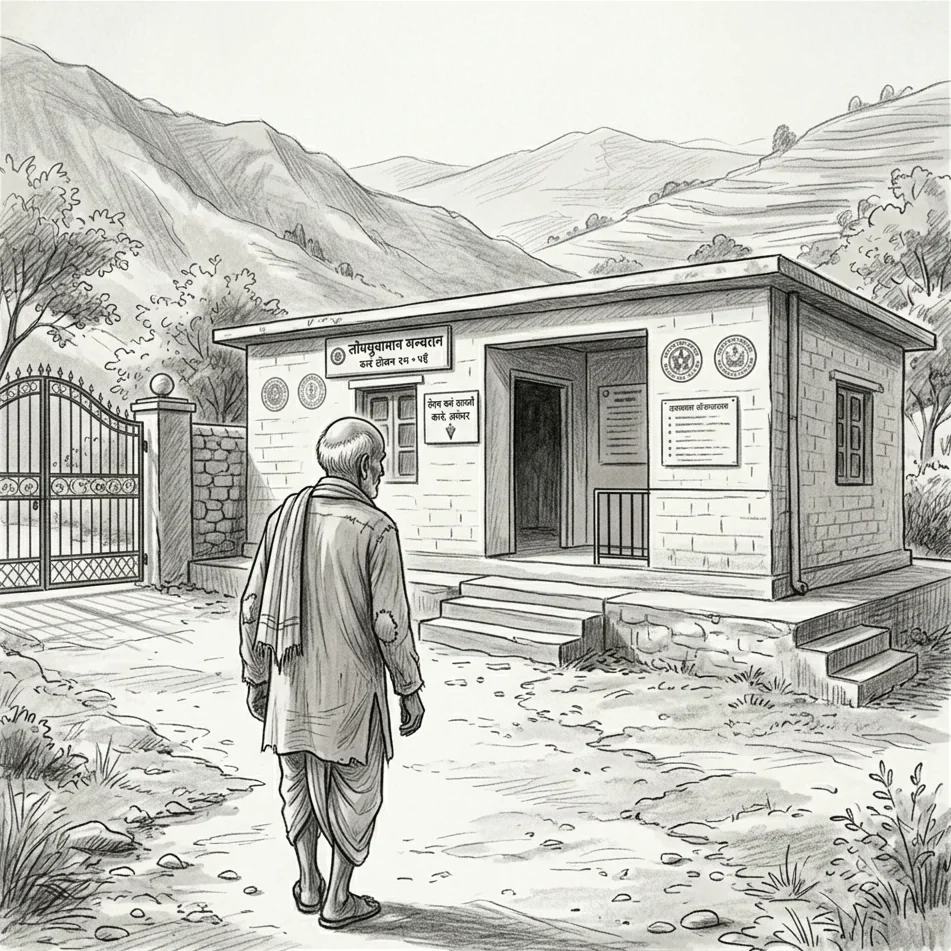
A patient walks into the sub-centre.

No screen yet. The story starts at the nearest centre, not a city hospital.

1 of 6

Field testing

Would it work in a real clinic?

  • Who and where

    37 people

    18 in the first round (medical students, residents, government and private doctors), then 10 CHOs, 4 ANMs and 5 doctors, in Delhi and Dharamshala.

  • Methodology

    Moderated walkthrough

    Tasks for each role, thinking aloud. I noted where people hesitated or asked for help.

  • Scoring system

    SUS, out of 100

    A short usability questionnaire. Mean 77.1 from six people (2 CHOs, 2 ANMs, 2 doctors), against a benchmark of 68.
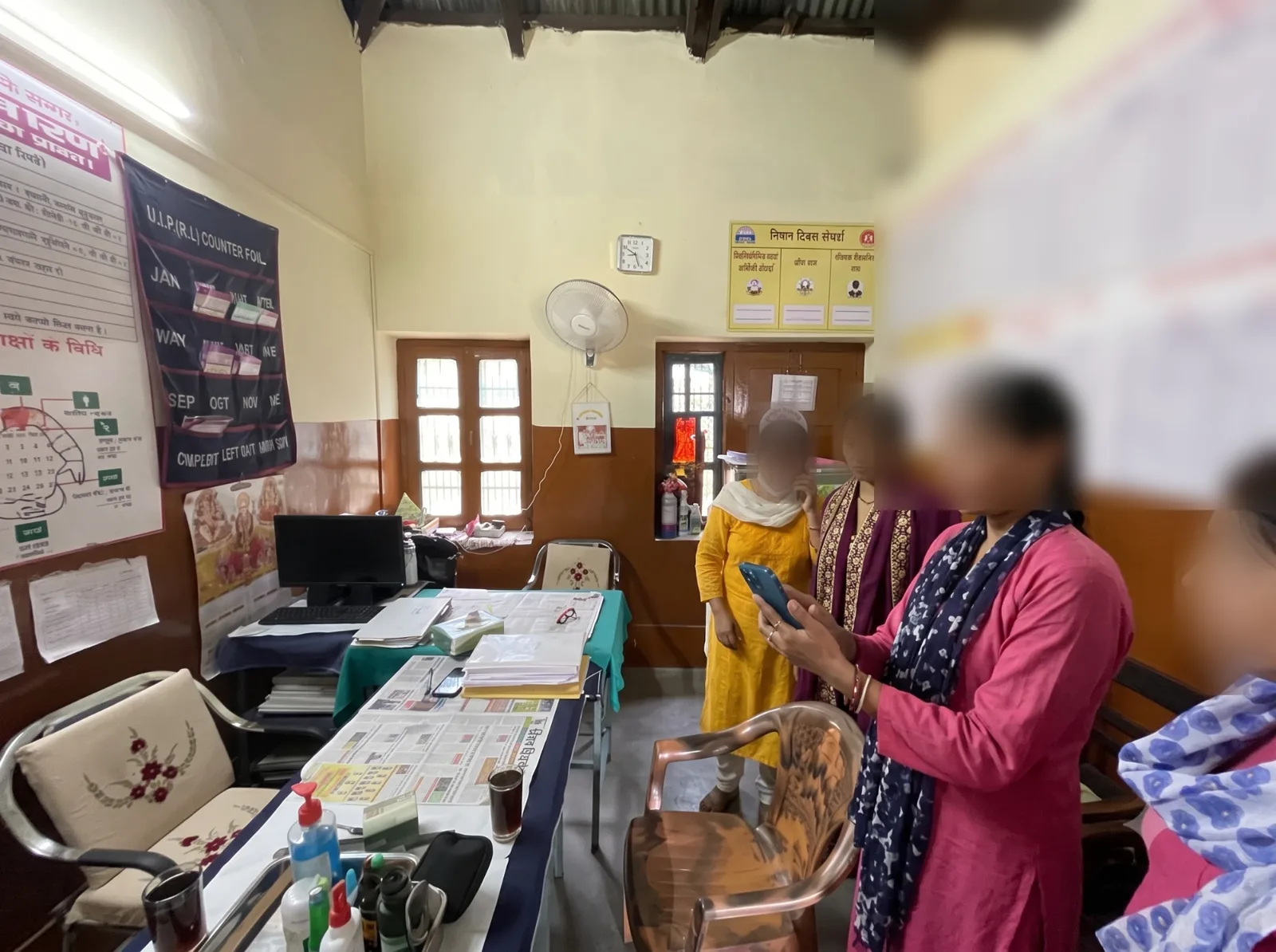
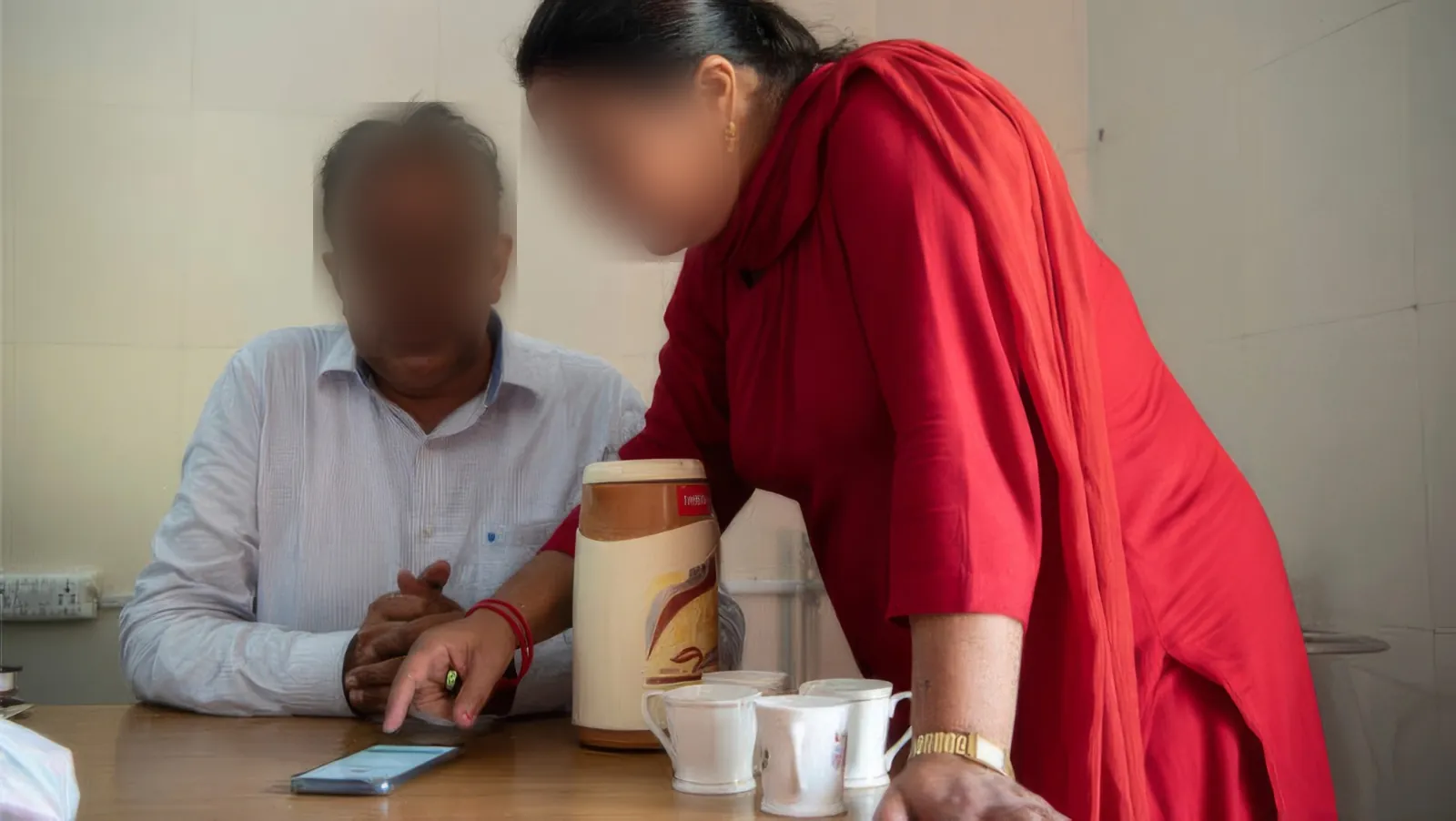
  • Four health workers in a sub-centre room, one holding up a phone to try the prototype while the others look on, faces blurred
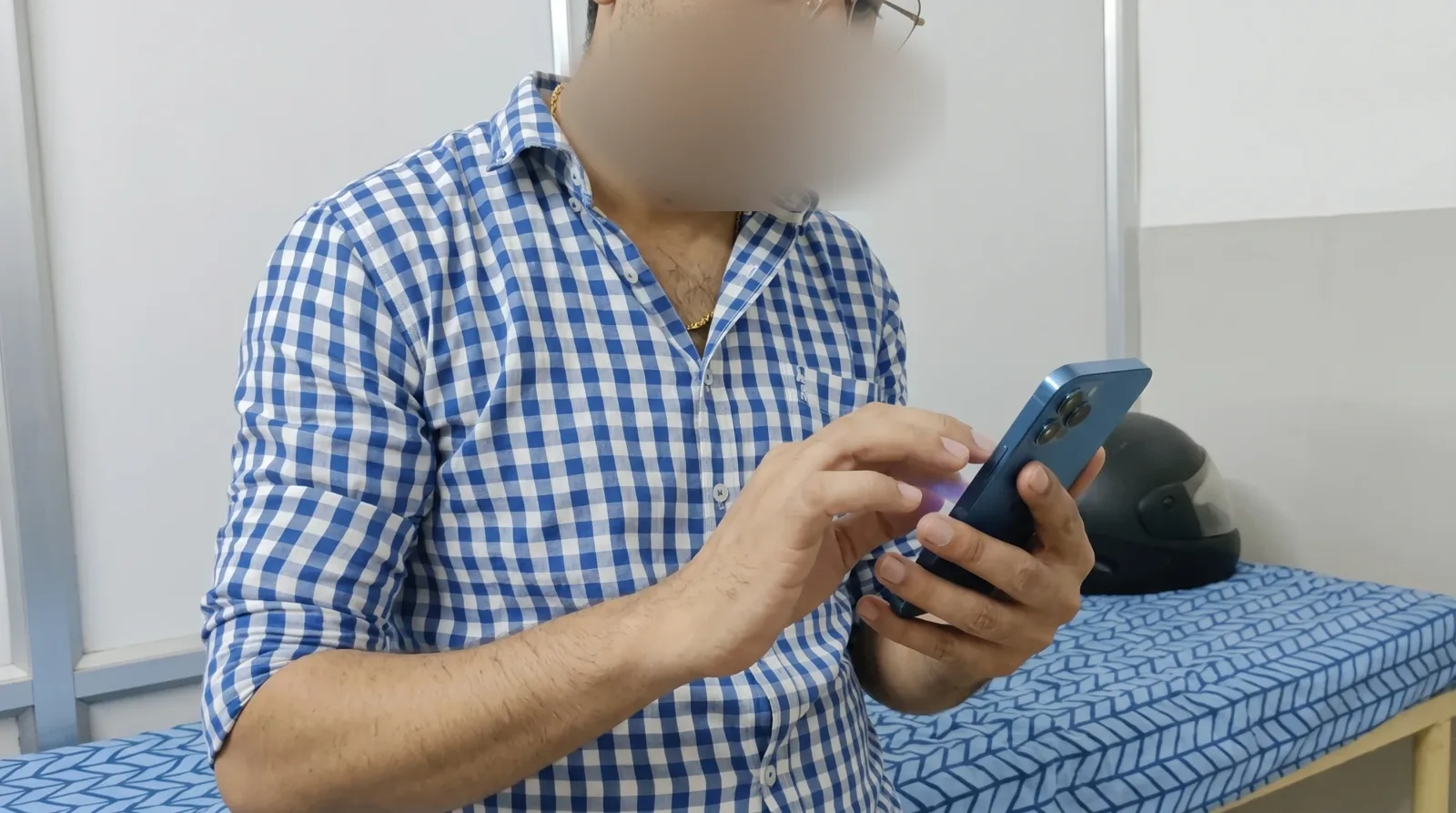
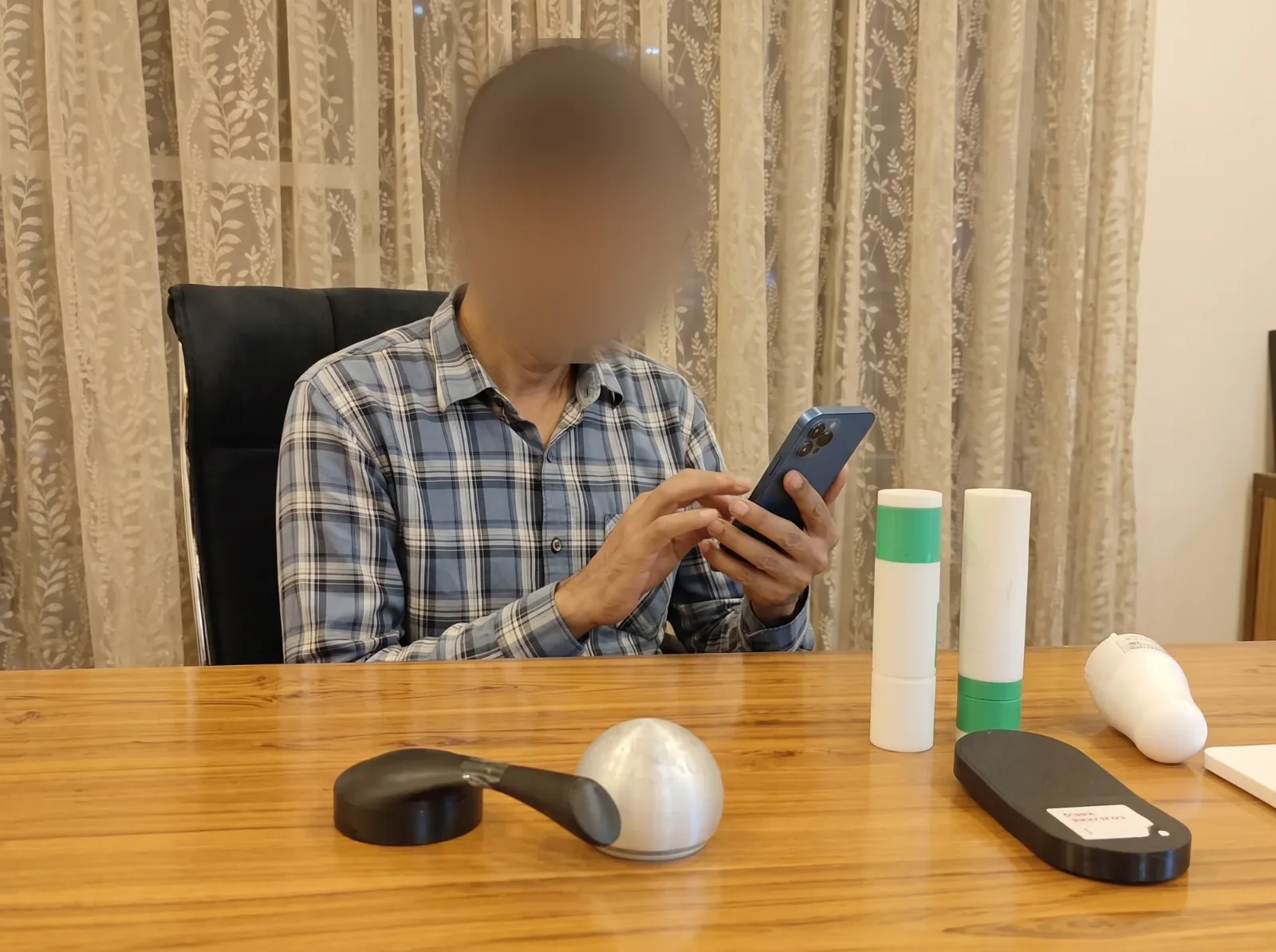
  • A doctor at a desk tapping through the prototype on a phone, with the physical forms in front of him, face blurred
  • A CHO leaning in to show a doctor the prototype on a phone, faces blurred
  • A doctor tapping a phone to try a task, face blurred
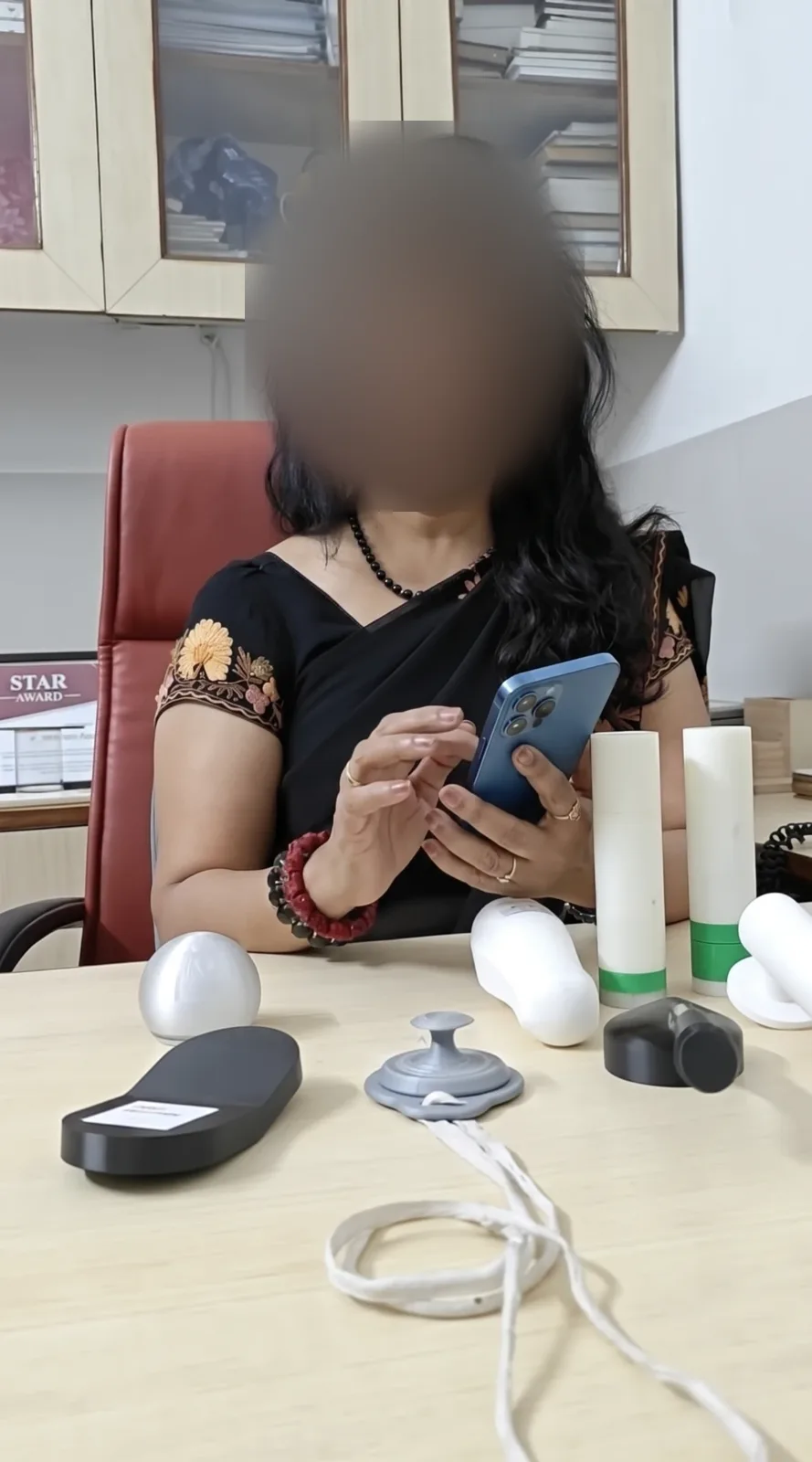
  • A doctor holding a phone and talking through the prototype, with the physical forms on the desk, face blurred

Feedback

Listening, from the other end

Receiving a consultation is its own journey: getting the call, opening it in a browser without the app, telling the CHO where to place the stethoscope, and checking that it is arriving and sounds good.

1

Get the call

or the link

2

Open it

in a browser

3

Guide the CHO

where to place it

4

Check it

is arriving and sounds good

5

Listen

with data beside it

6

Trust

the result

7

Reply

to the CHO or class

Doctors

The receiving end

How it works

A shareable link, live for 10 minutes

How it works

A web portal in a browser, with an ID and password

How it works

In live mode, the listener recommends positions

Not covered

Not designed or tested yet

8Friction

Wanted heart rate, breathing rate and labelled sounds

7Blocked

Preferred raw data they could judge themselves

Not covered

Not tested

Students

In class, or with a senior

How it works

The teacher's link, or a speaker in the room

How it works

Open the link on a phone

Not covered

Not designed or tested yet

Smooth

Slow-motion playback helped them focus

How it works

A senior or faculty member replies

Grey cells show how receiving is meant to work. They were designed, and the thesis did not test them. The dashed ones are open questions.

  • Smooth
  • Friction
  • Blocked

Power, audio and network

  • 1

    Battery life was a problem; wanted AA batteries, and wired audio over Bluetooth

    Device setup·Led to: AA batteries and wired audio

  • 5

    No network, no consult; wanted an audio-call option

    Remote integration

  • 6

    Sound cues unclear in a noisy room

    Handling errors·Led to: A ring of coloured light

Knowing where and when

  • 2

    Position was only a text field on the phone; needed it shown

    Positioning·Led to: A body map the CHO taps

  • 3

    On the phone, unsure when the AI would step in; asked for Hindi

    Device and app use·Led to: An AI report, created on request

Sharing

  • 4

    Wanted a way to send things, especially on WhatsApp, which was not integrated at first

    Data management·Led to: Share by link or WhatsApp

What worked

  • The visual guidance on where to place the stethoscope helped a lot

    Positioning

  • Switching language was easy

    Device setup

  • The UI was simple enough, and they liked the prototypes in general

    Device and app use

  • Sure that a little training would get them used to it

    Training

  • Loved Academy: it would help them understand different sounds

    Self-learning

Metrics

  • Task completion

    Target: 90% and up

    ~85%

    With light guidance. Stalled at the AI trigger and at ABHA linking.

  • Diagnostic confidence

    Target: 4 out of 5

    3.2 / 5

    Using it alone: unsure when the AI steps in, and sound cues unclear in noise.

  • Adoption intent

    Target: 4 out of 5

    4.2 / 5

    Their complaints were fixes, not rejections.

  • Usability (SUS)

    Target: 74 or above

    76

    Two CHOs (80, 67.5) and two ANMs (82.5, 75). Easy to use; the lowest score came from relying on another person.

What I found
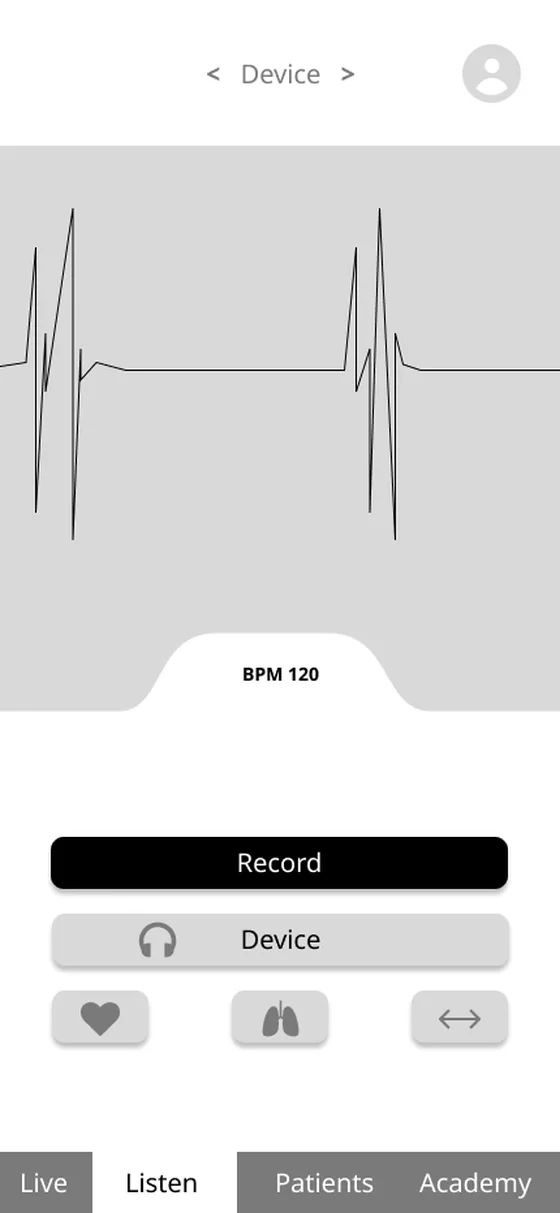
UI 1.0 record screen: a waveform, a Record button, a Device button and three category icons
Choose and record
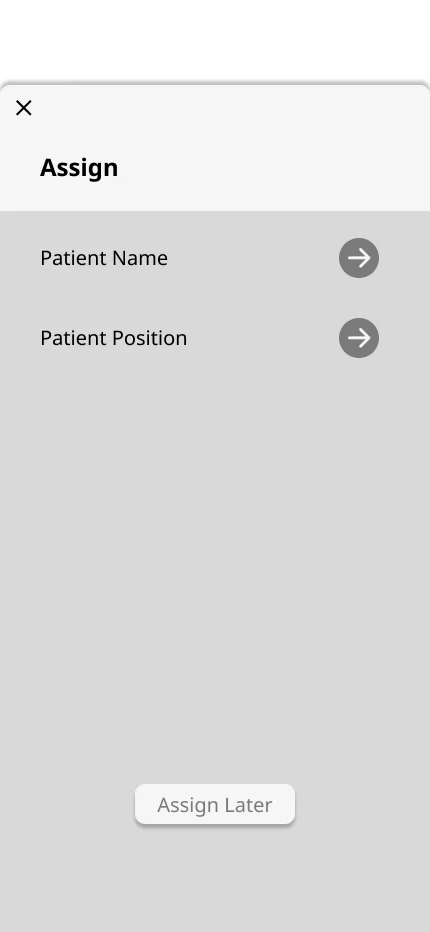
UI 1.0 assign screen: patient name and patient position as text rows
Name and position
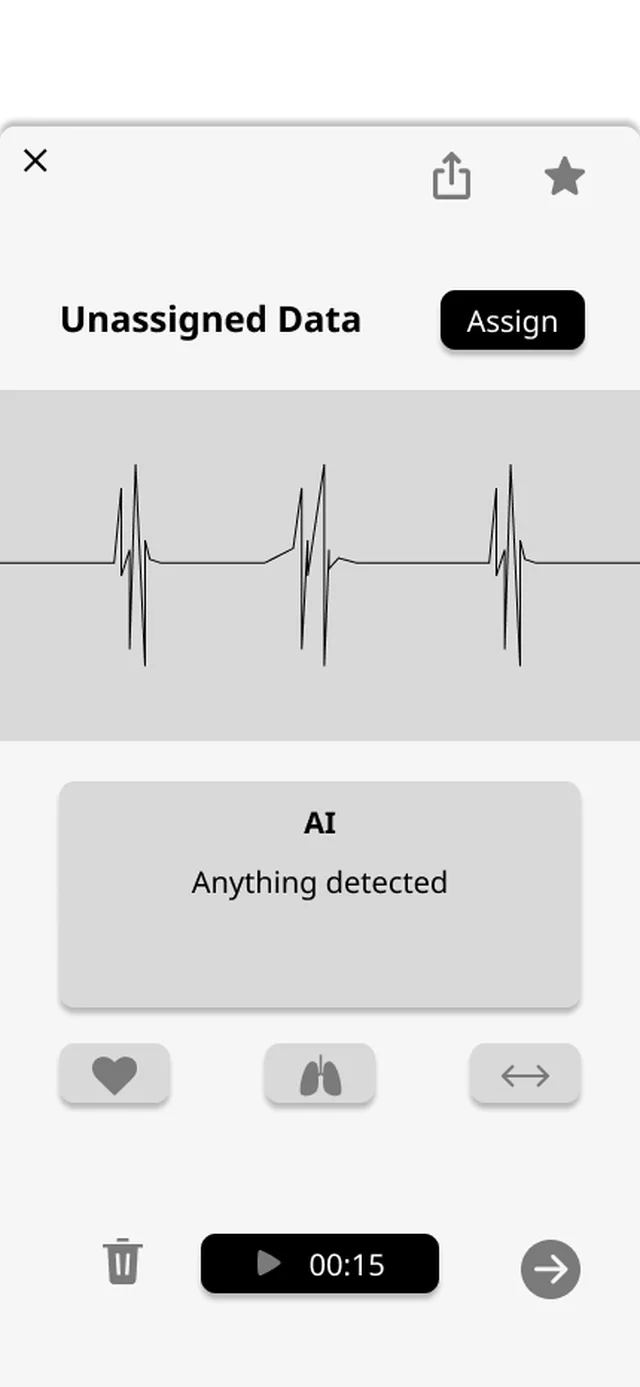
UI 1.0 result screen: a waveform and an AI box that says anything detected
The AI result
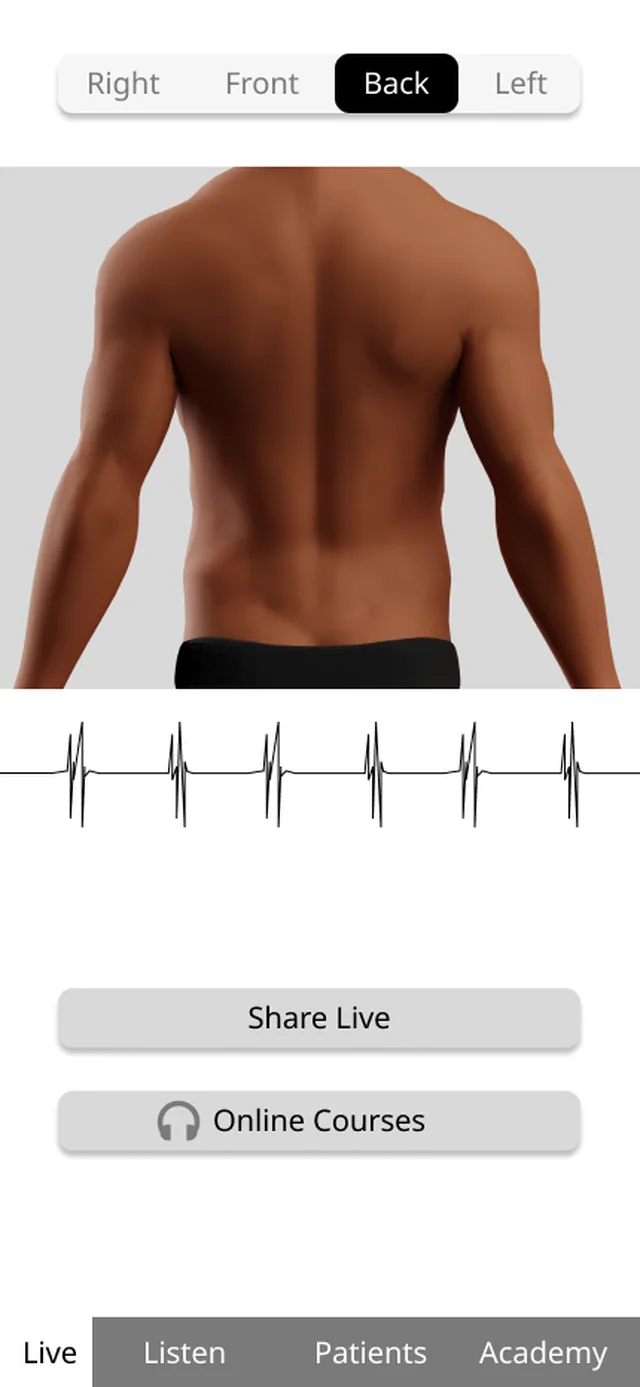
UI 1.0 live screen: a body diagram with a Share Live button
Going live

Tap a pin or a finding for the detail. Amber and red are problems, green ticks are what worked. The numbers carry through to UI 2.0.

Iteration

What did the field make me change?

What I worked on, and what I did not

  • Doctors do not trust the AIDoctors

    Focus

    If doctors will not trust what they hear and see, nothing else matters. The main thing to fix.

  • Labelling before you can recordCHOs

    Focus

    It slowed the very first step. Record first, label whenever.

  • No network, no consultCHOs

    Focus

    Where the network fails the consult stops, which blocks the whole idea.

  • No way to send audio on WhatsAppCHOs, doctors

    Small change

    It is how they already share, and cheap to add.

  • Batteries, Bluetooth, sound cues in noiseCHOs

    In the device

    Solved in the hardware: AA batteries, wired audio and a ring of light.

  • Fitting DocOn and eSanjeevani, doctor-to-doctor sharingDoctors

    Parked

    Clear only after testing. The live consultation led the first release.

  • Cost and theft worriesStudents

    Parked

    Not tackled in this round.

01

Doctors trusting the AI

Found. Until testing I had only made sure CHOs could get information across. I had not considered how to make the doctor comfortable with it, which is where trust is won or lost. Doctors rejected a black box: “If you just tell me this is the problem, solve it, I won’t trust it.” They wanted the data to check for themselves.

Now. The AI names each finding on the waveform, with its severity and a short reasoned summary, so the doctor can check it against the sound.

Why doctors distrust an instant answer

  • Effort

    People equate time spent with quality, so a diagnosis in under a second feels cheap next to a human listening for minutes.

  • Algorithm aversion

    Once people see an algorithm err, they lose trust in it faster than they would in a person (Dietvorst, Simmons and Massey, 2015).

  • Authority

    Doctors spent years building diagnostic skill. A machine that skips their reasoning threatens it.

Do not design an AI that diagnoses. Design one that presents evidence. The AI is a witness, not a judge.

Six options, three used

  • Diagnosis

    Bronchitis

    Confidence 87%

    Accept
    Reject

    A: Instant verdict

    Killed

    A black box with a label and a confidence. The doctor cannot verify it.

  • Waveform

    Crackle 0:12

    Wheeze 0:28

    ▶ Play segment
    ▶ Play segment

    B: Annotated waveform

    Kept · core

    The AI shows where to look; the doctor decides what it is.

  • Analysing audio…

    62%

    ✓ Crackles (0:12)

    ✓ Wheeze (0:28)

    Scanning for murmurs…

    C: Artificial delay

    Killed

    A fake wait wastes time in a short consult, and trust collapses once doctors notice.

  • AI observations

    Crackles 0:12

    ?

    Freq 200–400 Hz

    Duration 0.3 s

    3 similar cases

    Wheeze 0:28

    ?

    D: Interrogation panel

    Kept · layer

    Tap a finding to see its frequency, duration and baseline. Depth on demand.

  • Raw

    AI

    Show AI layer

    E: Side by side

    Killed

    Two views double the load on a small screen. Doctors want one trusted view.

  • Observations

    For your review

    Crackles 0:12

    ConfirmDismiss

    Wheeze 0:28

    ConfirmDismiss

    No murmur

    ConfirmDismiss

    Sign-off required

    F: Second opinion

    Kept · wording

    “Observations”, not “diagnosis”, and the doctor confirms or dismisses each one.

B, D and F became the evidence timeline.

The merged design

  • Live consult

    02:41

    Waveform

    LivePause

    Crackle 0:12

    Wheeze 0:28

    ▶ Play all▶ Play segmentShow AI reasoning

    AI observations, for your review

    Crackles at 0:12

    200–400 Hz · 0.3 s

    ✓ Confirm✕ Dismiss? Why

    Wheeze at 0:28

    400–800 Hz · 1.2 s

    ✓ Confirm✕ Dismiss? Why

    No murmur detected

    ✓ Confirm✕ Dismiss

    Findings enter the record only after the doctor signs off.

    The evidence timeline, on the doctor's screen during a live consult

The real screens, version by version

  1. UI 1.0 result: a waveform and an AI box that says anything detected
    UI 1.0A box that says “anything detected”, and nothing to check it against.
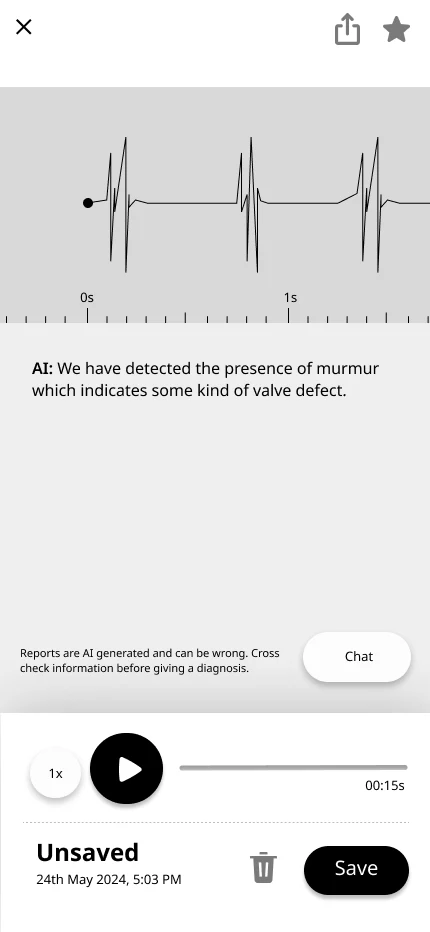
  2. UI 2.0 result: a waveform with an AI sentence about a murmur
    UI 2.0A sentence naming the finding, still apart from the sound.
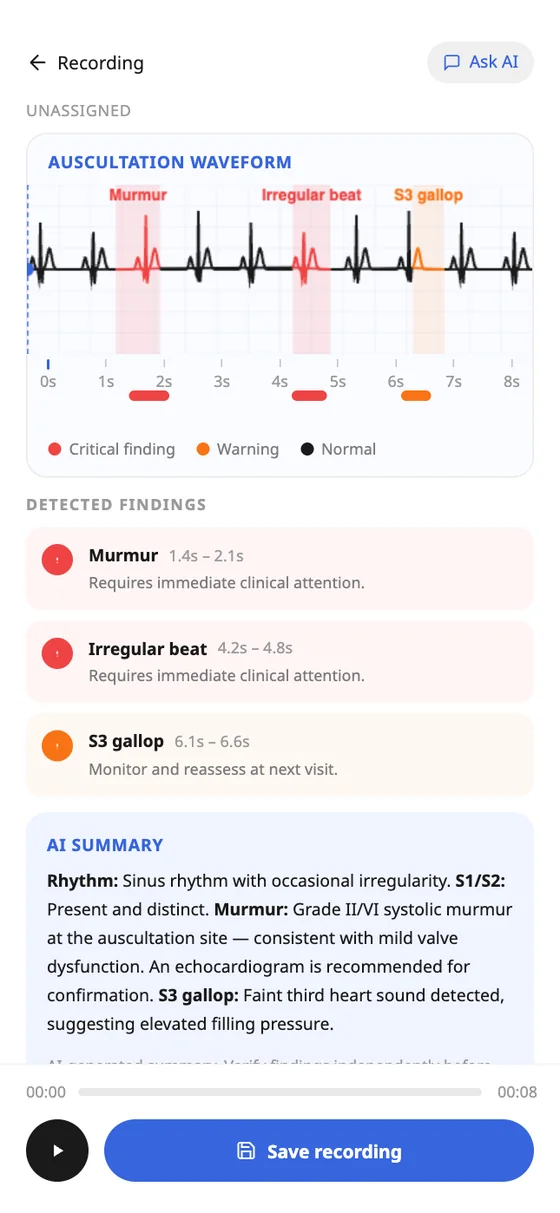
  3. The AI report: findings named on the waveform with severity and a summary
    FinalEach finding is named on the waveform, with severity and a reasoned summary.

Result

“This feels really sophisticated now, and I can see if I want to trust it or not.”

Everything else that changed

  • Hardware scoping. We initially designed two SKUs (Pro for hub hospitals, Lite for the field). For the MVP, we killed the Pro version to focus all engineering and manufacturing runway on the Lite device. Field reliability (AA batteries, rugged housing) was the critical bottleneck. The Pro version was moved to the Phase 2 roadmap.
  • Live BPM in field noise. To handle field noise (stethoscope friction, heavy breathing), the app applies a low-frequency bandpass filter (20-150Hz) to isolate heart sounds and uses a 3-second moving average to smooth out artifacts. If motion noise exceeds a safe threshold, the BPM UI intentionally displays a "Listening..." state rather than showing a false number.
  • Where to listen. The doctor taps the body and the CHO sees the spot, in words, on her own screen.
  • Laying out the AI. One page in reading order: waveform, each finding, the reasoning, then Ask AI.
  • Body map. Position moved from a text field to a tap on the body.
  • Feedback without a screen. A ring of coloured light and voice in the earpieces, with AA batteries and wired audio.
  • A home for the doctor. A desktop client that syncs automatically is the doctor's record, set aside for the first release. WhatsApp stays for quick sending.
  • ABDM and eSanjeevani. Login through ABDM, and Ausculo opens as a plugin inside the clinic's case.

The other decisions

01

A visual body-map instead of text position tags

Found
CHOs needed visual guidance on where to place the stethoscope, and the AI needs to know where it was placed. The position was only a text field.
Changed
An anterior/posterior body diagram the CHO taps. Cardiac mode shows the four valve points; respiratory shows anterior and posterior lung fields.
Result
The position is captured on the body. Nobody has to remember “second intercostal space, left sternal border”: they tap it.
UI 1.0 assign screen: patient name and patient position as text rows

UI 1.0: a text list

UI 2.0: choose where to examine, with a point on a body

UI 2.0: tap the body

Final design: a body with category chips and a control bar

Final design

  • 1Found

    Position by text

    A text field, with no guidance on where to place it.

  • 2Changed

    Tap the spot on the body

    Nobody has to remember “second intercostal space, left sternal border”.

  • 3Changed

    Only the sites you need

    A row of categories shows that category's sites, so the body is not a dense network of dots.

  • 4Changed

    Turn, switch side, zoom

    One control bar for front and back, and a close-up of the torso.

The position moved from a text field to the body, so the AI knows where the stethoscope was.
03

Laying out what the AI found

FoundOnce the AI said more than one thing, the report needed a shape: findings, reasoning and the waveform could not all fight for the same space.

  • A

    WaveFindingsSummary

    Tabs

    Waveform, Findings and Summary as tabs.

    Why not: Findings sit behind a tap. The doctor has to go looking for what to check.

  • B

    Murmur▾
    Irregular beat▾
    S3 gallop▾
    Summary▾

    An accordion

    The waveform, then findings collapsed into rows that open on tap.

    Why not: Collapsed by default, so the first look shows nothing to check.

  • CChosen

    Ask AI

    One scroll

    Waveform, then the findings with their times, then the summary. Nothing hidden.

Why C

  • Everything the doctor needs to check is on the page, in the order they check it: the waveform, each finding, the reasoning.
  • Each finding carries its time range and what to do next.
  • Ask AI sits at the end, for the questions the page does not answer.
04

Telling the CHO where to listen

FoundCHOs needed guidance on where to place the stethoscope, with no real-time video to rely on. The doctor needed a way to say where to listen and get exactly that.

  • A

    Set ASet B
    123456
    Save

    A set of numbered sites

    The doctor picks a set. The CHO records sites 1 to 6, each one marked, and the doctor gets them all at once.

    Why not: Fixed sets cannot follow what the doctor wants to hear next.

  • B

    A vest with numbers

    A physical vest with positions marked on it. The doctor just says a number.

    Why not: Time-consuming, and the vest would have to be made with the stethoscope.

  • C

    A stethoscope that senses where it is

    Sensors or a camera in the stethoscope detect the position and report it.

    Why not: Every version needed more devices or sensors, which raised the cost of the device.

  • D

    A printed card

    A pamphlet with the numbered positions. The CHO reads the number the doctor says.

    Why not: Easy, but one more thing to carry and keep with the patient.

  • EChosen

    Dr. wants: Mitral
    ● Record

    The card, inside the app

    The doctor taps the body; the CHO sees the spot on her own screen, in words, and taps it.

Why E

  • It started with the simplest idea, a card with numbers, and the question it raised: why not keep the card in the application itself?
  • No extra device or sensor, so the cost does not rise.
  • The doctor points; the CHO sees the spot, in words. No anatomy terms to remember.
  • The doctor stays in control while the CHO holds the stethoscope, and audio streams in real time.
05

A home for the doctor

FoundDoctors would not change their workflow: a health worker already sits outside the room taking readings before sending patients in.

  • A

    Play

    A doctor app on the phone

    Doctors review recordings in a phone app, like the CHOs.

    Why not: Doctors work at a desk. A phone app is a new habit to ask for.

  • B

    ▶
    Message

    Share by WhatsApp or email

    The CHO sends the audio file. The doctor opens it wherever they are.

    Why not: Easy, but limited: no history, no annotating, and patient data scattered across chats.

  • CChosen

    The doctor's desktop client: a patient list, recent recordings grouped by day, and one recording with its waveform and AI note

    A desktop client that auto-syncs

    Designed in full: a patient list, recent recordings by day, and a recording with its AI note, speed and volume.

Why C

  • It mirrors the clinic as it already runs: the CHO records outside, the file syncs, and the doctor reviews and annotates without moving.
  • Recordings are held on the stethoscope for up to 30 days and sync when connected, so nothing is lost on a weak network.
  • I set it aside for the first release, so the live consultation could lead.
06

ABDM and the eSanjeevani plugin

Options
Standard ABDM consent every time (too disruptive); one consent per session (smoother); bypass ABDM with WhatsApp/email sharing (easy but limited); a desktop client with auto-sync, because it needs no manual transfers.
Login
ABDM through the Healthcare Professional ID. Patients added manually or by scanning an ABHA card with OTP verification.
Plugin
When auscultation is needed mid-diagnosis, the CHO opens Ausculo from the clinic interface, picks the examination, and the AI generates a custom position list from the case notes. Each recording is assignable to a position, and a live session lets the hub doctor listen in.
07

Feedback without a screen

FoundIn the field I could not assume a charged battery or a quiet room, and the design had to stay affordable.

  • A

    A small screen on the device

    An OLED display on the top shows the state and a waveform.

    Why not: It adds cost and drains the battery.

  • B

    A segment display, like a calculator's

    A custom LCD, very efficient, for numbers and a few symbols.

    Why not: Efficient, but a lot of detail still had to be worked out. I explored it and chose something simpler.

  • C

    Sound only

    Beeps and spoken prompts from a speaker.

    Why not: Sound may not be heard in a noisy room.

  • DChosen

    A ring of coloured light, with voice in the earpieces

    A light ring shows the state. Spoken prompts are heard only through the earpieces.

Why D

  • White while recording, green for success or normal, red for failure or abnormal, blue for Bluetooth, yellow for low battery.
  • Prompts such as “Recording started” and “Please keep the stethoscope still” reach only the person listening.
  • A motion sensor catches accidental movement with an audio prompt and a flashing red LED.
  • With it came AA batteries instead of a charging dock, and wired aux instead of Bluetooth.

Three screens that changed more than once

The AI result

From a box that says something was found, to showing exactly what, and where.

  1. 1UI 1.0

    UI 1.0 result: a waveform and a box that says AI, anything detected

    Anything detected

    A waveform, and one box that says “Anything detected”. No way to see what, or where.

  2. 2UI 2.0

    UI 2.0 result: a plain waveform with a time ruler, the AI note and a Chat button

    The AI note, in words

    A plain waveform with a time ruler, and the AI note written out under it, with a Chat button to question it.

  3. 3Final design

    Final design: a finished recording with a Create AI report button
    Final AI report: colour-coded findings with time ranges and a written summary

    A report you create once

    Create the report from a finished recording. Findings are colour-coded by severity, each with its time range and what to do, with a written summary. It is created once, belongs to the recording, and going back returns to it.

Why it changed: Doctors would not rely on an AI that only gave an answer. Labelling exactly what it found lets them check it against the recording, which is what builds trust, and each checked result makes the next one easier to trust.

Starting a recording

A guided path was tried, and then given back to the user.

  1. 1UI 1.0

    UI 1.0 listen screen: a waveform, a Record button and three small icons

    Record, with a few icons

    A Record button and three small icons for heart, lungs and the rest.

  2. 2UI 2.0

    UI 2.0: choose what to examine
    UI 2.0: choose where to examine, with a point on the body

    Guided: what, then where

    The app asked what to examine, then where on the body, then let you record. One fixed order, every time.

  3. 3Final design

    Final design: recording in progress, with the mode strip you can ignore

    Free: record any time

    Record whenever you like. The mode is set automatically, or changed from a strip you can ignore.

Why it changed: The guided order forced every user down one path, and it slowed the work down. Doctors wanted the control, so the final design gave it back.

Going live

From sending a recording to taking part in a consultation.

  1. 1UI 1.0

    UI 1.0 live screen: a body diagram with a Share Live button

    Share Live

    A Share Live button under a body diagram.

  2. 2UI 2.0

    UI 2.0 share screen: a link, doctors to share with, and apps to share on

    A link to share

    A link to copy, doctors to share with in one tap, and the apps they already use.

  3. 3Final design

    Final design: choose a doctor to join the consultation
    Final design: the doctor asks for a site and the body turns to it

    A consultation

    Pick a doctor to join. They tell you where to listen, the body turns to that spot, and each clip is saved to one patient when it ends.

Why it changed: CHOs needed guidance on where to place the stethoscope, and doctors already share recordings over WhatsApp. A live session puts them in control, and it is built to carry on as a voice call when the network drops.

Final design

What did the design become?

This is the real app, running. Try it, or start from a flow.
9:41

Choose a language, create an account or sign in, choose the device, pair it, connect ABDM (or skip), choose what you plan to use it for.

Impact

What did the work produce, without a launch?

Ausculo has not entered the market. In healthcare that is not unusual — products spend years in development, testing and regulatory clearance. The design work still had tangible outcomes:

A validated direction

The UI/UX framework was reviewed by Dr. Sanjay Sood (Project Director, eSanjeevani), Dr. Desh Deepak (CMO, RML Hospital) and the CARE engineering team. The CHO-centred use case, the eSanjeevani integration model and the live-mode interaction were confirmed as viable and aligned with national telemedicine infrastructure.

Three expensive missteps avoided

An ASHA-operated stethoscope (insufficient training), a standalone AI diagnostic service (regulatory impossibility), and a new telemedicine platform (redundant with eSanjeevani). Engineering effort was redirected to a feasible path.

Primary research

Six healthcare locations in Himachal Pradesh, more than ten stakeholder interviews across doctors, CHOs, students and telemedicine entrepreneurs, and a comparison of eight-plus digital stethoscope platforms and three learning apps.

A complete handoff

Forty-plus high-fidelity screens across mobile, desktop and tablet; a physical signifier system; an ABDM/ABHA integration framework; a branding and design-language guide; and a modular feature architecture for CHOs, doctors and students.

Published. Poddar, L., Koruprolu, V. S., Shaikh, M. N., & Aggarwal, M. (2025). Digital Stethoscopes for Telemedicine in Rural India: Designing for Usability and Practical Adoption. Proceedings of the Human Factors and Ergonomics Society Annual Meeting.

Read the paper

Reflection

What was the brief really asking for?

What started as "design a stethoscope for ASHA workers" became "design a trust-building communication system between CHOs and doctors, inside an existing national telemedicine infrastructure." The hardest problem was not usability. It was trust. And designing for a low-resource environment is not about simplifying — it is about being precise.

The most important decisions were not made in front of a screen. They were made in a PHC in McLeodganj when a CHO told me Bluetooth does not work in her village; in Sarah, when a health officer said the power does not come for 24 hours; and when a doctor in Dharamshala said, "I don't trust a recording I didn't direct."

Every decision — embedding position metadata in every recording, making the AI's reasoning visible, letting doctors control the stethoscope remotely, swapping charging docks for AA batteries — was about building one chain of trust between a CHO in a village and a specialist in a city, across 200 kilometres of bad network.